2027 wedding trends, seen from the guests' side
What the 2027 forecasts of The Knot and Bridebook mean in practice: private ceremonies, wedding weekends, printed details, food, colours and the photos.
Two forecasts, one question
Two forecasts set the tone for 2027. The Knot's 2027 Wedding Trends Report, published on 28 September 2026, names 20 trends from the searches, saves and spending of 1.7 million couples in the United States between January and June 2026. Bridebook's forecast for 2027, published in April 2026 and updated in July, reads three years of British search data with a council of wedding professionals.
Both lists are about how a wedding looks. This piece asks a narrower question of each trend: what changes for the guests, and what you will have to tell them, ask them or hand them. A trend that changes nothing for your guests is a matter of taste. One that changes their weekend, their phone or their dinner needs a sentence on the invitation.
| Trend | What changes for guests | Where you handle it |
|---|---|---|
| The private wedding | Phones away at the ceremony, photos kept off public feeds | Invitation, website, officiant; a gallery reached by link |
| The wedding weekend | Three occasions, each with its own time and dress code | A section per day; a reply for each part |
| The beach club | Sand or grass, sun at four, a breeze at ten | Dress code and schedule; an early save-the-date abroad |
| Paper is back | Cards and signs carry the practical details | Print that matches the page; codes that scan |
| Interactive food | Allergies can no longer be handled plate by plate | A dietary question in the reply; labelled stations |
| Silver and warm tones | Pale colours are hard to read on a phone | Colours for surfaces, not for times or the reply |
| Every moment photographed | Guests' phones see what the professional misses | One gallery, an album per part of the weekend |
The private wedding
Bridebook calls it the trend of 2027: "the private wedding", with phone-free ceremonies and guest lists "built on trust, not obligation". It is not about fewer guests. It is about deciding where the pictures of your day go, and when.
Privacy has to be announced to work. Guests who arrive with their phones in their hands will take pictures unless someone asked them not to, kindly and in advance. Say it in three places:
- one line on the invitation;
- a short answer on the wedding website;
- one sentence from the officiant before the ceremony starts.
The piece on unplugged ceremonies has the wording for all three.
Then give the pictures somewhere quiet to go. A hashtag sends them to a public feed; a gallery on your own page, reached only through its link, keeps them among the people you gave the link to. On EventAssets you also choose who may add to the page, as the support article on guest access shows:
- anyone with the link;
- guests who pick their name from your list;
- guests who first confirm a code sent to their email.
Ask guests not to post before you do, and tell them when the gallery opens.
The wedding weekend
The Knot finds that nearly one in three weddings already spans three days or more, and Bridebook's council chose the wedding weekend as its own pick. A welcome drink, the day itself and a brunch the morning after are three occasions, each with its own time, place and dress code.
For guests, three occasions mean three sets of questions:
- Give each its own section on the page with a time and an address, and say plainly which parts are for everyone.
- If the Friday dinner is for family only, tell those guests directly and leave it off the page everyone reads.
- Ask in the reply which parts each guest will join, so the caterer of each part gets its own number; a custom question in the RSVP does it.
The piece on wedding weekends covers the schedule in detail.
The beach club, and Italy without Italy
Searches for coastal Italian "beach club" weddings rose 315% year over year on The Knot. Bridebook names "the Italian aesthetic, minus the actual Italy" as its trend to watch: the long table, the aperitivo and the citrus, at a venue at home.
Either way, guests need to know what the day asks of their wardrobe and their feet. A beach or a garden means sand or grass, sun at four and a cool breeze at ten.
- Say so next to the dress code.
- Put the aperitivo on the schedule with its own time, so guests do not hold back for a dinner that comes two hours later.
- If the venue really is abroad, send the save-the-date earlier, with the town, the nearest airport and where to stay.
Paper is back, with a code on it
The Knot sees searches for experiential stationery, such as fans for the ceremony and pop-up menus, up 77%, and for custom crests, monograms and weekend-long storytelling up 100%. Bridebook describes handwritten touches, scalloped edges and line drawings on menus.
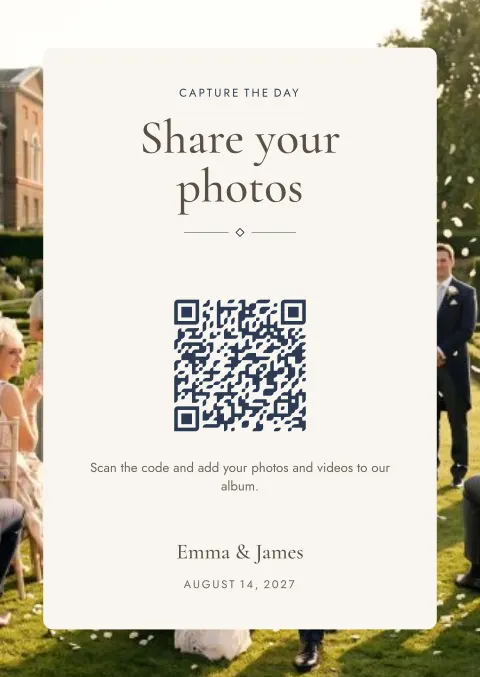
Printed details now carry practical work. The card on the table is where a guest learns where the photos go; the sign at the entrance is where they find their seat. A printed piece and the page behind its QR code should look like one wedding, with the same colours, the same monogram and the same type.
EventAssets draws its print designs from the template of your page, so the cards and signs match it without a second design. Print every code large enough and dark enough to scan; the QR code guide has the sizes.
Food that guests get up for
The Knot reports searches for interactive food and drink up 66%: roaming aperitivo, stations and late-night comfort food. Bridebook writes that formal three-course meals are giving way to relaxed, generous ones.
Stations and grazing tables change one thing for the hosts: allergies can no longer be handled plate by plate.
- Ask about dietary needs in the reply, as a question of its own with room for detail.
- Hand the answers to the caterer early enough to label every station.
- A guest with a nut allergy should be able to read the label without asking.
The RSVP guide has the wording of the question.
Silver, butter yellow and terracotta
The Knot calls it "The Silver (Ag)e": searches for silver flatware, platinum jewellery and cool-toned décor are up 133%. Bridebook expects warm tones to follow butter yellow, from terracotta and rust to fig.
Colour reaches guests first on a screen. Pale tones are lovely on linen and hard to read on a phone in the sun: butter yellow text on white, or silver on pale grey, disappears.
- Keep your colours for the surfaces and headings of the page.
- Keep the times, addresses and the reply button in a colour that stands out against them.
- Print the QR code dark on a light ground, which it needs to scan.
Every moment, photographed
The Knot describes photographers who follow a couple from the engagement shoot through the whole weekend. Bridebook sees film, disposable cameras and instant prints returning out of nostalgia.
More moments mean more photographers, and the professional is only one of them. Guests' phones see the welcome drink, the brunch and the corners of the evening the professional misses, and the disposable camera on the table needs scanning before it means anything.
Collect all of it in one place, sorted by moment: an album per part of the weekend makes three days easier to browse. The guide to collecting guest photos covers the window and the review, and photo sharing is the gallery for it.
What does not change
Whatever 2027 looks like, guests ask the same questions: when to arrive, where to park, what to wear, whether they may bring someone, and where the photos will be. The wedding website guide puts them in order. Trends change the look of the answers, not the need for them.